The easy way to backup your digital disks
TDMore offers a suite of four programs to copy and convert your DVDs and Blu-rays that together provide everything you need to backup and digitize your physical media library.
TDMore Blu-ray Copy is a tool that allows you to easily create backup disks of your favorite movies (well, providing you have a Blu-ray burner). This easy-to-use tool allows you to take any of your old Blu-rays and duplicated them on to a new disk, or create an image of the disk to burn later.
Exactly how you want it
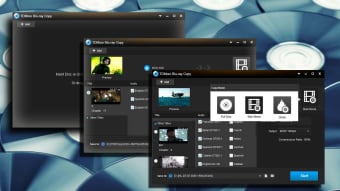
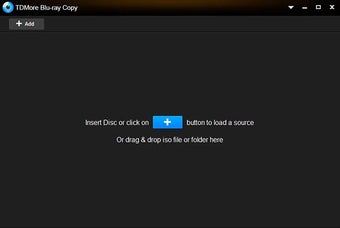
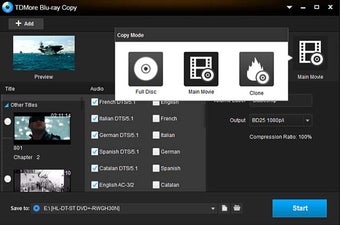
As already stated, TDMore Blu-ray Copy does just about everything you could want it to do. By selecting the desired Blu-ray drive, the program will instantly scan the disk and provide you with a thumbnail of its contents.
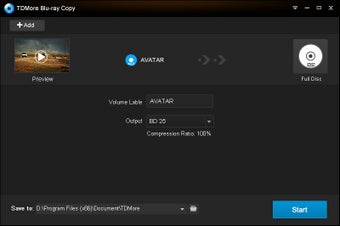
From there you have a few, easy to understand options. You can clone the whole disk to provide the all functionality of the original Blu-ray, make a copy that will allow you to back the disk up on your computer, or you can pick the main movie option that just lets you copy the main feature of the disk.
Feel the burn
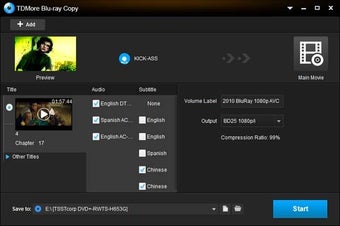
You can also customize your copies. This lets you make a range of changes to the final copy using a (fairly) easy to understand tick-box menu. Here you can pick specific chapters to copy, as well as choosing what audio tracks and subtitles you want to import.
So, if for some reason you only want to copy the first half of a movie and some deleted scenes in Portuguese, all you have to do is select the desired chapters from the drop down menu, and then check the box beside the extras.
While the act of selecting each option is quite simple, there are some less straight forward decisions to be made for novice users. These include how you want your copy to act when you put it in the drive with choices like having it auto play, go to the start menu, or jump to the main title. Though initially some of these may seem like strange options, there is definite value to allowing a disk to automatically start playing a show when backing up your child’s favorite cartoon – if only to avoid sticky fingers on the remote.
One thing to keep in mind, however, is that as even the fastest Blu-ray drives take an age to copy a full disk (though this is a hardware restriction).
Back it up
TDMore Blu-ray Copy offers a simple way to backup your media library either on disk or computer. It is a tidy little package, with a simple and attractive interface that gives you all the tools you need to ensure that a rogue dog or careless child will not be able to ruin your treasured movies.